SMS Opt-In & Consent
Program: Prolicenses account verification (two-factor authentication).
Prolicenses sends one-time verification codes by SMS only to users who enter their own mobile phone number and request a code. We never send marketing or promotional messages through this program.
How users opt in
- The user goes to the registration page: https://app.prolicenses.cloud/register.php.
- Step 1 ("Company"): the user selects a business profile and country, then enters company information.
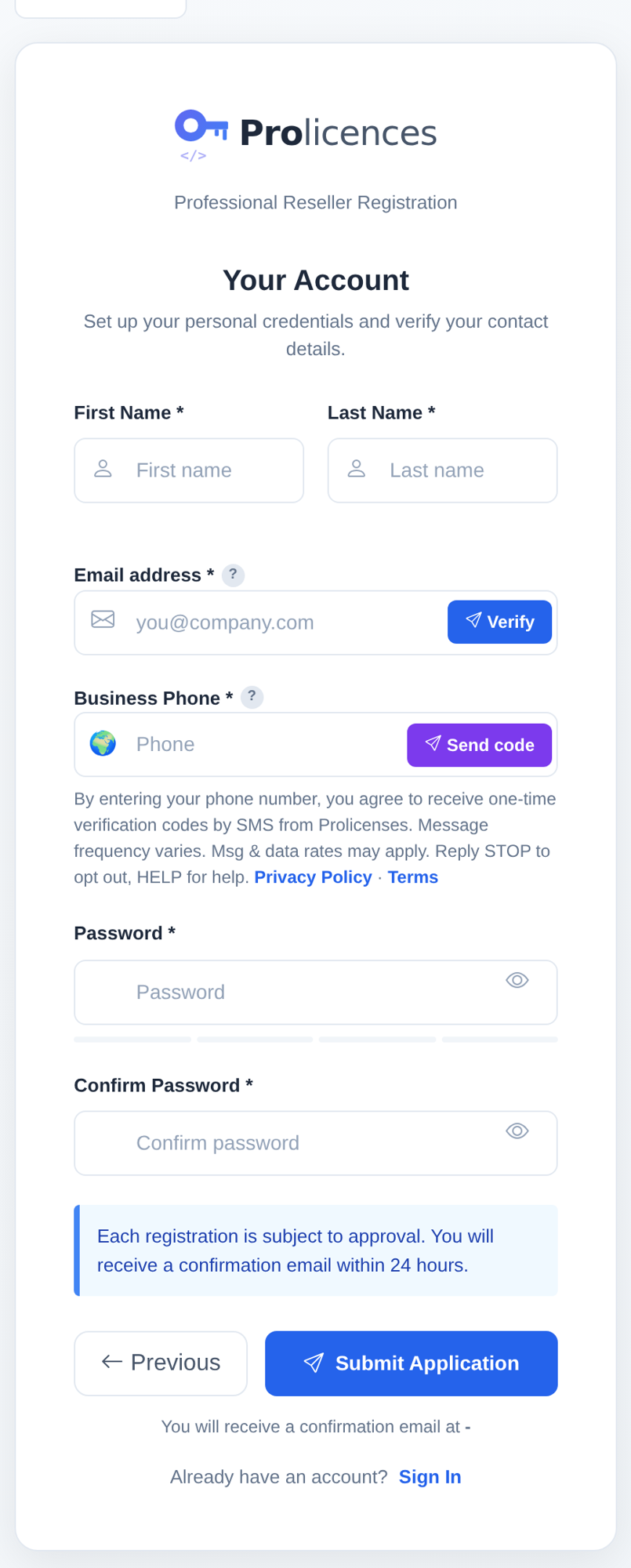
- Step 2 ("Account"): the user enters their name, email and mobile number in the Business Phone field.
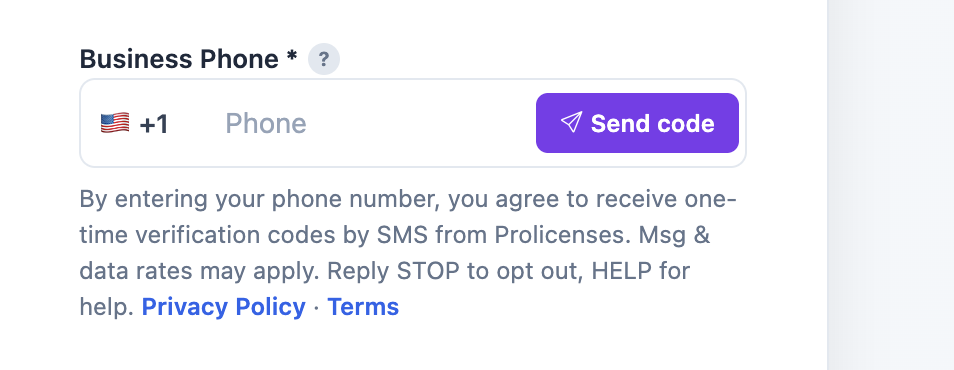
- Directly below the phone field, the consent language below is displayed with links to our Privacy Policy and Terms.
- The user clicks Send code. This action is their consent. One SMS with a single-use code is sent.
Consent language shown to the user
By entering your phone number, you agree to receive one-time verification codes by SMS from Prolicenses. Message frequency varies. Msg & data rates may apply. Reply STOP to opt out, HELP for help. Privacy Policy · Terms
Screenshots of the opt-in
Program details
- Message type: one-time verification codes only (2FA). No marketing.
- Frequency: message frequency varies; one message per code requested.
- Cost: message and data rates may apply.
- Opt-out: reply STOP to any message. Help: reply HELP or contact contact@prolicenses.cloud.
- Carriers are not liable for delayed or undelivered messages.
- We do not share, sell, or provide your mobile phone number or messaging consent data to third parties or affiliates for marketing or promotional purposes.
Sample messages
- Prolicenses: Your phone verification code is 123456. It expires in 10 minutes. Do not share this code. Reply STOP to opt out, HELP for help.
- Prolicenses: Use 654321 to complete your login on prolicenses.cloud. This code expires in 10 minutes. Reply STOP to unsubscribe.